A social media calendar often begins with good intentions: a neat spreadsheet, a few content ideas, and a plan to post consistently. Then deadlines arrive. Priorities change. The calendar quietly becomes another abandoned document.
The problem usually isn’t a lack of ideas. Instead, people design the calendar as a list of posts rather than a workable system.
A useful social media content calendar should make decisions easier, clarify what needs to be published, and adapt when plans change, but it isn’t a substitute for a clear content strategy or social media strategy; it’s how that strategy actually gets executed. This guide explains how to create a social media calendar for 2026 around your actual workflow, not a made-up perfect week, whether you’re a solo creator, a social media manager running things for a client, or a team setting up a content calendar for Instagram, a content calendar for Facebook, or a shared plan across all your social media channels.
Download the free social media calendar template to start with a practical structure.
What Is a Social Media Calendar?

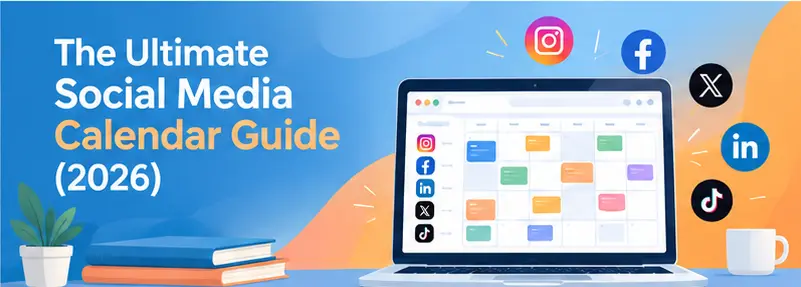
A social media calendar is a planning system. It organizes upcoming social media content by publication date, platform, format, topic, and status. It helps individuals and teams decide which social media posts to publish, where they belong, and when they need to go live; and gives everyone real-time visibility into what’s coming up next.
Unlike a simple list of ideas, a content calendar connects content planning with execution. Depending on the workflow, it may exist as a spreadsheet, document, project board, or dedicated scheduling tool. Notion, Airtable, Trello, and Asana are common choices for the board or document route. Buffer, Later, and Hootsuite are common for the dedicated-tool route.
Some teams also use a co-planner setup built for team collaboration: a shared board where multiple team members add, edit, and approve posts together. That way the calendar isn’t just one person’s document.
The goal is not to predict every post perfectly. It is to create enough visibility and structure to stay consistent, without making the publishing process too rigid.
Why Social Media Calendars Get Abandoned
Most abandoned calendars don’t fail because calendars are inherently ineffective. They fail because the system takes more effort than the team can consistently give it.
Here are some of the most common reasons.
1. The calendar is too ambitious
Planning thirty posts when the team can actually produce twelve creates an immediate gap between expectation and execution. Missed posts pile up. The calendar looks increasingly out of date. Maintaining it starts to feel like catching up on unfinished work.
A smaller, achievable social media posting schedule is more useful than an impressive plan that cannot survive a busy week.
2. Every post requires a fresh decision

Some calendars contain dates and empty cells but offer little direction about what belongs in them. When it’s time to fill a slot, someone still has to decide the topic, format, angle, platform, and purpose from scratch.
That turns the calendar into another place where decisions happen, rather than a tool that reduces decision-making. A short content brief template, a few fixed fields like objective, key message, CTA, and asset needed, removes most of this friction. That’s useful whether the slot is on an Instagram content calendar, a Facebook content calendar, or a shared cross-platform view.
3. It treats every platform the same
A single caption copied across Instagram, LinkedIn, Facebook, and other channels may save time at first. But it often produces content that feels disconnected from how people actually use each platform.
A calendar should coordinate content across channels without forcing every channel into an identical publishing pattern. Most scheduling tools support per-platform caption variants from a single post entry. That’s why a dedicated content calendar for Instagram or content calendar for Facebook often outperforms one generic grid, the fields and tone that work for a Reel don’t necessarily work for a Facebook group post.
4. There is no clear owner
When everyone is responsible for the calendar, no one necessarily owns its accuracy. Ideas remain unassigned, so it’s often unclear who creates content for a given slot. Drafts sit without reviewers. Scheduled posts lack confirmation.
Even a small team benefits from clear responsibility for planning, production, approval, and publishing. An “Owner” field with @-mention or assignee functionality, standard in Asana, ClickUp, Trello, and Airtable, makes this visible at a glance, rather than something tracked separately. This is where a true co-planner view, with visible ownership per row, pays off over a static spreadsheet.
5. It confuses planning with completion
A filled-in calendar can create the impression that work is progressing. But an idea isn’t a draft. A draft isn’t approved content. And approved content isn’t necessarily scheduled.
Without status tracking, teams may discover too late that a supposedly “planned” post is still only a concept. A status column with fixed values, rather than free text, makes this gap visible without extra reporting. So does a kanban-style board view, which most spreadsheet and project tools now offer.
6. It doesn’t account for real-world changes
News, product updates, seasonal opportunities, client requests, and unexpected events can make a scheduled post irrelevant. If you treat the calendar as a fixed contract, changing it feels like failure.
A stronger system leaves room for timely content and makes rescheduling straightforward. A drag-and-drop calendar view (available in most scheduling tools and in Airtable or Notion‘s calendar layout) turns moving a post into a five-second action instead of a re-entry. This matters most around dense planning windows, like building a November social media calendar around a holiday shopping season, where dates shift constantly.
7. Nobody reviews whether it is helping
A calendar can become a repetitive administrative task if nobody checks whether the content supports business or communication goals. Without periodic review, teams may keep producing familiar formats simply because those formats are already in the workflow.
The purpose of a calendar is not to keep every cell filled. It is to make content production more intentional and sustainable.
How to Build a Social Media Calendar in 7 Steps
1. Start with your goals and audience
Before choosing posting frequency or filling dates, decide what the content needs to accomplish. Your goals might include increasing brand awareness, generating leads, educating customers, supporting a product launch, or building a stronger community.
Then identify the audience each platform should reach, and what that audience needs from your content. These decisions help prevent the calendar from becoming a random collection of disconnected posts.
2. Choose the platforms you can maintain
You don’t need to publish everywhere to have an effective social media presence. Select platforms based on audience relevance, the type of content each one favors, available resources, and the type of interaction you want to encourage.
Consider whether your team can create and maintain content for each channel without compromising quality. A focused Instagram content calendar and Facebook content calendar, well maintained, is more practical than an overloaded plan covering six platforms. Most scheduling tools also charge per connected platform or profile, so this decision often has a direct cost impact too.
3. Establish realistic content pillars
Content pillars are recurring subject areas that give your calendar direction. For example, a business might organize content around education, customer stories, product information, behind-the-scenes material, and industry insights.
Choose pillars that connect to your goals and that you can sustain over time. They should guide topic selection without forcing every post into a repetitive formula. Tagging each post with its pillar, a label or tag field, not a free-text note, makes it possible to filter the calendar and spot an imbalance at a glance.
4. Decide on a workable publishing cadence

Your social media posting schedule should reflect your resources, audience expectations, and content format. It should also reflect the best times to post on each platform, based on when your audience is actually active. Start by identifying what your team can reliably produce, then distribute that output across the selected platforms.
Cadence doesn’t have to mean posting the same number of times every week. Some channels may need frequent short updates, while others may work better with fewer, more developed pieces of content. A recurring or repeating-event function, standard in most calendar and scheduling tools, is useful for cadence-based slots, like “every Tuesday”, without manually re-adding them each week.
5. Plan content ideas before assigning exact dates
Build a pool of relevant ideas before turning them into a detailed schedule. This makes it easier to spot gaps, group related topics, and avoid relying on last-minute inspiration.
Once the idea pool is useful, assign topics to platforms, formats, and time periods. Leave enough flexibility to swap an idea when a stronger opportunity appears. Most planning tools keep the idea pool as a separate list or backlog view, rather than in the dated calendar itself. That separation is worth preserving even in a plain spreadsheet.
It also helps to keep a running list of important dates and social day date entries: national and industry awareness days, product anniversaries, and platform-specific moments. That way seasonal ideas, like a November social media calendar built around a major shopping holiday, don’t need planning from scratch every year.
6. Add production and approval stages
A calendar becomes much more useful when it shows what happens after an idea is added. Include practical stages such as idea, brief, in progress, draft ready, review, approved, scheduled, and published.
Assign owners and deadlines where needed. This makes bottlenecks visible and helps everyone understand whether a post needs writing, design, approval, or scheduling.
A dedicated briefing tool or template, a fixed set of fields like objective, key message, references, and deadlines, keeps the brief from getting lost in comments or chat threads. Clear approval workflows, like a sign-off field or a locked “Approved” status, prevent a post from being scheduled before it’s cleared. For teams working as a co-planner group rather than a single owner, this stage is what keeps everyone aligned on who does what next.
7. Track performance and improve the next cycle
Use performance data to understand which content deserves more attention, not simply to find the post with the highest number of likes. Depending on your goals, relevant measures may include reach, saves, comments, clicks, leads, watch time, or conversions.
Review the results alongside the effort each format took to produce. Then use those observations to adjust future topics, formats, timing, and resource allocation. Native platform insights, like Instagram Insights or LinkedIn Analytics, cover single-platform reporting. A cross-platform analytics tool, Sprout Social, Hootsuite Analytics, or a simple pulled-together spreadsheet, is more useful once you’re comparing performance across channels.
Get the Free Social Media Calendar Template

A content calendar template is useful when it removes setup work without forcing every team into the same process. Plenty of social media calendar templates exist, and a good one often plugs into a broader marketing calendar rather than replacing it entirely. The right structure should make upcoming content visible, show who is responsible, and distinguish ideas from work that is ready to publish.
The free template can serve as a starting point for planning campaigns, recurring content, platform-specific posts, and one-off announcements, including a dedicated November social media calendar layout for holiday-season planning. You can adapt the fields and workflow to suit a solo creator, marketing team, agency, or business owner.
Choose the format that best matches how you already work:
- Google Sheets social media calendar template: useful for shared planning, filtering, and straightforward collaboration, or for running as a lightweight co-planner with a small team.
- Excel social media calendar template: suitable for teams that prefer desktop spreadsheets and flexible tracking.
- PDF social media calendar template: helpful for printable planning, campaign overviews, or offline reference.
- Instagram content calendar template and Facebook content calendar template: platform-specific versions with fields tuned to each channel’s formats, like Reels, Stories, and group posts.
The template is a starting point, not a requirement to document every possible detail. Add only the fields that help your workflow.
How to Keep Your Social Media Calendar Alive
Building a calendar is the first step. Keeping it useful requires a review rhythm that is simple enough to repeat.
Review it every week
Set aside a short weekly planning session to check what is scheduled, what is delayed, and what needs attention. Confirm that upcoming posts have the necessary copy, creative assets, links, approvals, and publishing details.
Use this review to make small adjustments before problems become urgent. If a post is no longer relevant, replace it. If a recurring format takes too much effort, simplify it. The aim is to keep the calendar accurate, not to preserve the original plan at all costs.
A weekly review also helps surface gaps. You may notice that one content pillar dominates the schedule, an important announcement has no supporting content, or a platform is getting more attention than the team can maintain.
Batch content monthly
Monthly batching can reduce the pressure of starting from zero every few days. Begin with the larger priorities for the month, such as campaigns, launches, seasonal moments, events, or business objectives. Then turn those priorities into supporting topics and individual posts.
Batching doesn’t mean creating everything in one sitting. It can mean outlining several posts together, preparing reusable design elements, recording multiple short videos, or drafting a group of related captions. Most scheduling tools build bulk-upload functionality, a CSV or spreadsheet import, specifically for this kind of batch session.
Keep room for timely content and unexpected changes. A monthly plan should provide direction, not prevent the calendar from responding to reality.
Explore Why is Social Media Marketing Powerful for Local Businesses?
Frequently Asked Questions
What should a social media calendar include?
A social media calendar commonly includes the planned publication date, platform, content topic, format, caption or brief, asset link, owner, status, and relevant campaign or goal. The exact fields depend on the team’s workflow.
How far in advance should I plan social media content?
Many teams plan major campaigns and recurring content several weeks ahead, while leaving room for timely posts. A practical planning horizon depends on the industry, approval process, content type, and how often priorities change. This is especially true when building a November social media calendar, which usually needs to start weeks before the season itself.
Is a social media calendar necessary for a small business?
A small business can benefit from a simple calendar even if it publishes only a few times per week. The system doesn’t need to be complex. A basic schedule with topics, dates, and status tracking may be enough to reduce last-minute planning.
What’s the difference between a social media calendar and a content calendar?
In practice, people use the terms to mean the same thing. A “content calendar” sometimes covers a wider scope, blog posts, email, video, while a “social media calendar” focuses specifically on social platforms. But the underlying structure; date, platform, format, status, owner; is the same.